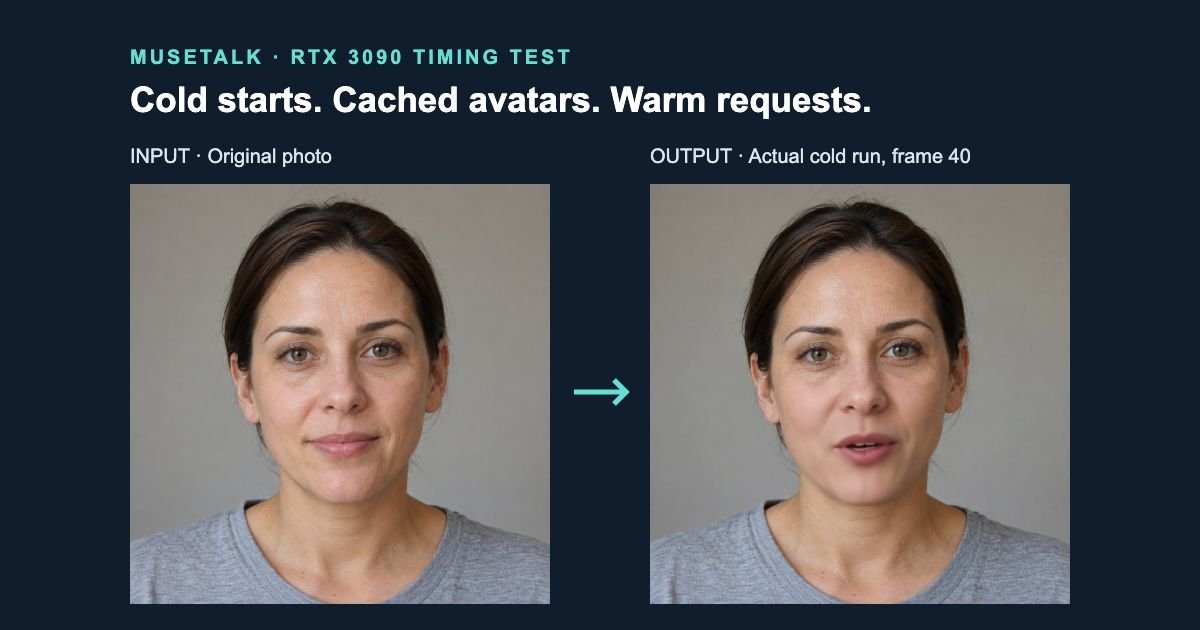
Measured 14 October 2026 · NVIDIA RTX 3090. A warm saved-video request took a median 17.220 seconds on the server for this 3.632-second speech clip. Generation-only throughput was 13.79 processed FPS with PNG and MP4 saving disabled. A complete local file request using a new process and a cached avatar took 80.756 seconds including upload and receipt of the MP4. Each figure uses three measured samples with the different boundaries explained below.
View per-run stage measurements (CSV) · View transfer measurements (CSV) · See measured file-request latency · Repeat the prepared-avatar workflow
Test conditions
| GPU | NVIDIA GeForce RTX 3090; 24576 MiB VRAM. Driver 580.173.02; configured power limit 240.00 W; reported maximum SM clock 2100 MHz. This is not a measured sustained clock. |
|---|---|
| CPU | Intel(R) Xeon(R) CPU E5-2695 v4 @ 2.10GHz; four inference threads. CPU affinity exposes 72 logical CPUs; CPU time allowance: 8.64 CPU time equivalents. This is not a claim of exclusive CPU ownership. |
| Software | Python 3.10.18, Torch 2.0.1+cu118, CUDA 11.8 runtime, MMCV 2.0.1, MuseTalk 1.5; isolated environment inside the PyTorch instance. The host driver was retained. |
| Settings | Native real-time FP16 path, batch size 8, output 25 fps, extra_margin=10, parsing_mode=jaw, cheek widths 90/90, effective bbox_shift=0; seed 20261014. |
| Avatar and audio | One permitted fictional 1254 × 1254 PNG in a frame directory; prepared cache repeats it forward/backward. Synthetic speech WAV, mono 16 kHz, 3.6318125 seconds: “Please bring me a blue mug. We can meet on Friday.” |
| Scope | A short, static-photo avatar on one rented host. Preparation cost does not represent a long moving source video. Template services remained; no other GPU workloads were intentionally launched. |
What cold and prepared mean here
- Process-cold + new avatar: a new Python process and a new avatar ID with no prepared cache. Weights are already installed; package/model downloads are excluded. OS page caches and GPU hardware are not reset.
- New process + cached avatar: load models again, then read an existing avatar cache. This is not a resident service.
- Resident process + cached avatar: models and avatar remain loaded. Discard one audio warm-up request, then measure three requests.
- Resident generation-only: discard a warm-up and measure three requests with
--skip_save_images. The source still decodes and blends frames, but saves no frame PNGs and makes no MP4.
Measured stages: saved-video path
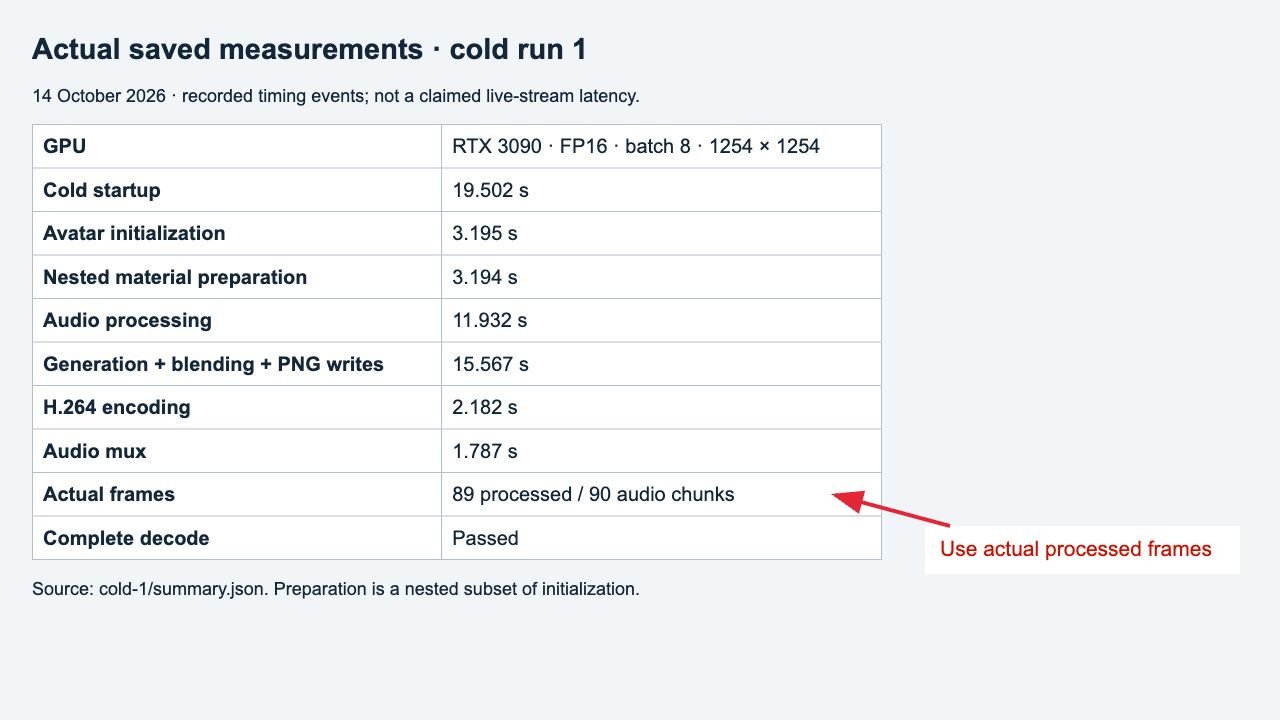
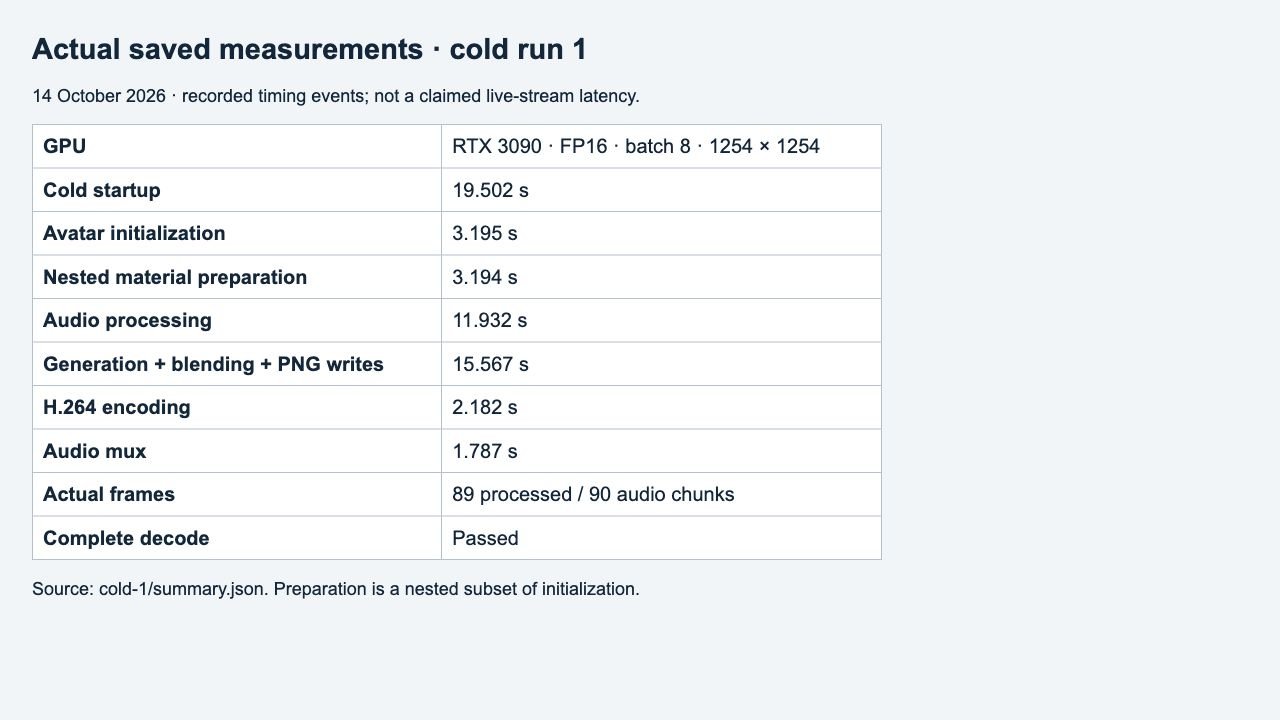
All values below are seconds, shown as median (minimum–maximum), with three measured samples per scenario. Avatar material preparation is nested inside avatar initialization; do not add both. Phase medians need not sum to the median of total time. The first process-cold request includes first-use effects; later fresh processes reuse OS and library caches, which is visible in the per-run CSV.
| Stage | Process-cold + new avatar | New process + cached avatar | Resident process + cached avatar |
|---|---|---|---|
| Startup: imports, CUDA and model initialization | 19.112 (18.077–19.502) | 18.593 (18.582–18.940) | Already loaded; excluded |
| Avatar initialization: preparation or cache reading | 3.195 (3.076–3.241) | 0.091 (0.088–0.094) | Already loaded; excluded |
| Material preparation only (nested subset) | 3.194 (3.076–3.240) | Not repeated | Already loaded; excluded |
| Audio feature extraction and Whisper chunks | 1.309 (1.169–11.932) | 1.500 (1.472–1.500) | 0.024 (0.022–0.027) |
| Generation + decode + blending + PNG writes | 15.693 (15.567–15.758) | 15.862 (15.851–15.938) | 13.157 (13.000–13.294) |
| PNG sequence to H.264 | 2.182 (2.174–2.195) | 2.137 (2.132–2.189) | 2.193 (2.178–2.197) |
| Audio/video combination | 1.786 (1.766–1.787) | 1.811 (1.682–1.868) | 1.775 (1.753–1.813) |
| Complete server audio request; excludes startup/avatar initialization | 21.018 (20.895–31.511) | 21.387 (21.184–21.483) | 17.220 (17.033–17.283) |
| Whole process until exit; includes startup and avatar initialization | 44.794 (43.480–55.730) | 41.512 (41.297–41.714) | Shared resident process; see request time |
Startup ends after models, audio processor and face parser are ready, with CUDA synchronized. Generation starts after audio features are ready and ends after the producer/consumer frame work joins; it includes blending and, in saved-video runs, PNG writes. Encoding and audio muxing are timed separately around the script’s two FFmpeg calls. Additional CUDA synchronization occurs only at measured boundaries.
Throughput is not complete-request latency
| Measured path | Actual processed FPS | Server audio-request seconds |
|---|---|---|
| Process-cold + new avatar | 5.671 (5.648–5.717) | 21.018 (20.895–31.511) |
| New process + cached avatar | 5.611 (5.584–5.615) | 21.387 (21.184–21.483) |
| Resident process + cached avatar | 6.765 (6.695–6.846) | 17.220 (17.033–17.283) |
| Resident generation-only (no saved video) | 13.794 (13.583–14.928) | 6.471 (5.986–6.573) |
Generation throughput = actual processed frames ÷ measured generation seconds. It excludes startup, avatar initialization and audio processing. The generation-only row also excludes image writes, encoding and muxing, so it does not produce a deliverable video. It is not a UNet-only GPU kernel score and does not demonstrate live microphone-to-browser streaming. Neither measured pipeline kept pace with 25-fps playback on this host at this framing; the timings alone do not identify a single hardware bottleneck.
The output frame-rate setting is 25 fps. That controls playback timestamps; it does not mean the whole application finishes 25 frames every wall-clock second. First composited PNG times are included in the CSV for saved-video requests, but a PNG on disk is not a playable encoded stream or a browser-displayed frame.
Actual local-to-server-to-local file latency
Each of these three requests uploaded a complete WAV, invoked a new Python process with a cached avatar over SSH, and received the complete MP4 by SCP. Overall time was measured continuously on the local computer. New connection/authentication overhead is included. Server invocation includes that connection plus process startup, cache reading and the full audio request.
| Stage | Median seconds (range), n=3 |
|---|---|
| Upload complete WAV | 18.439 (15.235–18.967) |
| Invoke server and wait for the finished file | 46.126 (46.064–52.155) |
| Receive complete MP4 | 16.186 (13.839–18.761) |
| Observed local round trip | 80.756 (75.156–89.931) |
The source-avatar and audio bundle in the separate transfer test was 2,170,880 bytes and took 16.423 (16.132–17.665) seconds over new SCP connections. That one-time upload is not added to each prepared-avatar request. These network measurements apply to this connection under ordinary client conditions; unrelated client network traffic was not controlled. They are not a bandwidth guarantee.
Latency starts when the complete audio file is already available locally and ends when the MP4 is received. Microphone capture, speech synthesis, application queues, HTTP streaming and browser playback buffering were not measured. No sum of independent medians is presented as an observed end-to-end measurement.
Output and frame-count check
Watch the first cold-run output (MP4). All retained saved-video clips passed complete decoding.
Observed frame accounting: 90 requested audio chunks / 89 processed frames. The pinned consumer loop stops at video_len - 1; saved-video frame counts match the processed counts. The selected video stream is 3.56 seconds, while audio extends the container to 3.632 seconds. FPS uses actual processed frames, not the higher nominal chunk count. The tracked upstream source was not patched to hide this limitation. Decode success does not establish accurate lip sync or production readiness.
Practical prepared-avatar workflow
Install the official project and required models. Start with a new avatar ID so preparation does not overwrite an existing cache. For this photo-based test, the source was a directory containing a single PNG.
timing_avatar:
  preparation: True
  bbox_shift: 0
  video_path: /your/path/avatar-frames
  audio_clips:
    first: /your/path/speech.wav
    second: /your/path/speech.wav
python -m scripts.realtime_inference --version v15 --inference_config realtime.yaml --batch_size 8 --fps 25 --unet_model_path models/musetalkV15/unet.pth --unet_config models/musetalkV15/musetalk.json --extra_margin 10 --parsing_mode jaw --left_cheek_width 90 --right_cheek_width 90After the avatar has been prepared, set preparation: False to reuse it. Multiple audio entries execute with the same models and avatar loaded in that process. The pinned real-time script internally selects FP16; it does not use the ordinary inference script’s --use_float16 switch. Add --ffmpeg_path if FFmpeg is outside PATH. Use --skip_save_images only when intentionally measuring a path that creates no MP4.
Limits and reproduction record
- Three samples describe this short clip and host. They do not establish a universal FPS, production service latency or a comparison with the earlier RTX 4090 tests.
- The one-frame avatar keeps its head static and uses a very small cache. A longer driving video adds preparation, storage and cache-loading work.
- File completion was verified, but motion naturalness, audio alignment and long-session stability were not benchmarked.
- Timing hooks add small measurement overhead. No per-layer profiler was enabled, and tracked source was unchanged.
Official source commit: 0a89dec45a0192b824e3cf4daf96c239440c5ed8. MuseTalk model revision: 2bcb936e2fddb4d86db4c62fd45b387d0c061571. The phase boundaries are tied to the pinned real-time source; raw logs, configs, timing events and output files are retained with the test records.
Continue with how the architecture works, the single-photo tutorial, the video lip-sync tutorial, or the quality guide with matched examples.