How Does MuseTalk Work?
MuseTalk borrows parts of its architecture from Stable Diffusion,
but MuseTalk itself is not a conventional diffusion model.
This distinction is important because it helps explain why the
system can process frames quickly.
1
The Face Is Compressed
A frozen VAE, or variational autoencoder, takes the
video frame and converts it into a compact numerical
representation called a latent.
2
The Lower Face Is Masked
MuseTalk masks the mouth and jaw region of the latent
and combines it with a reference image of the same face.
3
Audio Becomes an Embedding
A frozen Whisper-tiny model converts the audio into a
numerical representation containing information about
the spoken sound.
4
The U-Net Generates the Mouth Region
The audio embedding and face latent are combined using
cross-attention inside a U-Net. The network fills in
the missing mouth region so it corresponds with
the supplied audio.
5
The Result Is Decoded
The VAE decoder converts the processed latent back
into a normal video frame.
This happens in a single processing pass rather than through the
repeated denoising steps typically associated with diffusion
generation. That single-step approach is a major reason MuseTalk
can operate fast enough for real-time applications.
Want a deeper technical explanation?
Read how MuseTalk works.
MuseTalk Demo
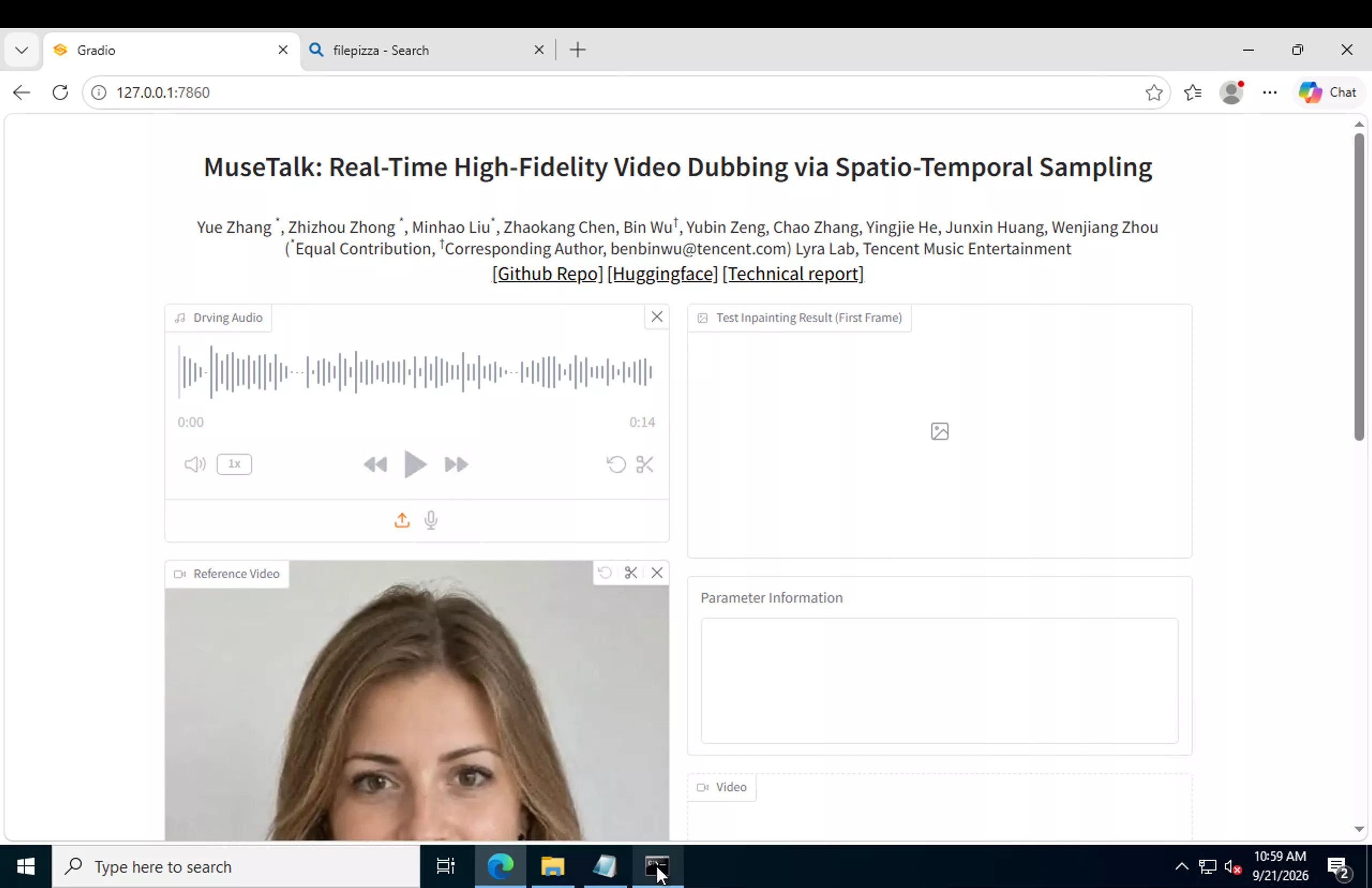
Use the embedded MuseTalk demo below to see how the model
works without configuring a local environment.
The embedded demo is hosted by a third party and may occasionally
be unavailable, queued, or subject to its own usage limits.
MuseTalk 1.0 vs MuseTalk 1.5
MuseTalk has received a significant upgrade since the original
release. The differences matter when deciding which version
to run.
| Area |
MuseTalk 1.0 |
MuseTalk 1.5 |
| Released |
April 2024 |
March 2025 |
| Training approach |
Primarily L1 loss |
Perceptual loss, GAN loss, and sync loss
|
| Training strategy |
Single-stage |
Two-stage training with spatio-temporal
data sampling
|
| Lip-sync accuracy |
Good |
Improved |
| Identity consistency |
Moderate |
Improved |
| Clarity and sharpness |
Moderate |
Improved |
| Mouth control |
bbox_shift |
Same parameter with refined results
|
The main goal of MuseTalk 1.5 was to improve the balance between
frame quality and lip-sync accuracy. GAN and perceptual losses
improve image quality, while sync loss and the updated sampling
strategy improve lip alignment.
Training code is also publicly available, allowing developers
to train or fine-tune their own version using the two-stage process.
Which version should you use?
For a new installation, MuseTalk 1.5 is generally the version
to start with unless an older workflow specifically depends
on MuseTalk 1.0.
See the complete MuseTalk 1.0 vs MuseTalk 1.5 comparison.
Is MuseTalk Free to Use?
MuseTalk is an open-source project. The MuseTalk source code
is released under the MIT License, which permits both academic
and commercial use.
The trained MuseTalk model weights are also made available
for use, including commercial applications.
However, MuseTalk depends on third-party components such as
Whisper, the VAE, DWPose, and other packages. Those components
have their own licenses, so commercial developers should review
the relevant licenses individually rather than assuming the
MuseTalk license covers every dependency.
Sample and testing material distributed with the repository
may have different usage restrictions from the MuseTalk code
and model itself.
Users are responsible for ensuring that generated content follows
applicable laws and respects consent, privacy, copyright, identity,
and other relevant rights.
Important:
Always review the current official repository and the licenses
of any third-party models or dependencies before using MuseTalk
in a commercial product.
MuseTalk Architecture: VAE + Whisper + U-Net
MuseTalk combines several established machine-learning components
rather than relying on one large end-to-end model.
01
VAE
The frozen pre-trained VAE works as the image encoder and
decoder. It converts video frames into compact latent
representations and converts processed latents back
into images.
02
Whisper-tiny
Whisper-tiny is also frozen. MuseTalk uses its internal
audio embeddings as a numerical representation of
the supplied speech.
03
U-Net
The U-Net is the component trained specifically for
MuseTalk. It combines the masked facial latent with
the audio embedding through cross-attention and generates
the required mouth region.
Frozen VAE + Frozen Whisper + Trained U-Net = MuseTalk Lip-Sync Pipeline
Unlike multi-step diffusion generation, the mouth region can be
produced in a single pass. This is one of the main reasons
MuseTalk is capable of real-time processing.
Who Made MuseTalk?
MuseTalk was developed by Lyra Lab, a research team at
Tencent Music Entertainment.
The project has been maintained since its original release in
April 2024, with additions including a real-time inference
pipeline, public demo, technical report, MuseTalk 1.5,
pretrained weights, and public training code.
MuseTalk is also designed to work alongside MuseV, another
project from the same research team, as part of a broader
virtual-human workflow.
The MuseTalk project is available publicly through GitHub,
while model weights are available through Hugging Face.
Community integrations have also been developed, including
workflows for ComfyUI.
Prefer a node-based workflow?
Read the MuseTalk ComfyUI setup guide.
MuseTalk Technical Report Explained
MuseTalk’s technical report is titled
MuseTalk: Real-Time High-Fidelity Video Dubbing via
Spatio-Temporal Sampling.
The Problem
High-quality video dubbing needs to preserve identity and image
quality while also matching mouth movements accurately to audio.
Achieving both goals while generating frames quickly enough
for real-time applications is difficult.
The Approach
Instead of repeatedly denoising an image through a conventional
diffusion pipeline, MuseTalk works in latent space and fills
the required mouth region in a single step.
Spatio-Temporal Sampling
The training method selects reference frames where the head pose
closely matches the target frame. This helps the model focus
more directly on learning the correct mouth movement rather
than spending capacity handling unnecessary pose differences.
Audio and Lip-Sync Training
The report also examines how the lip-sync training objective
interacts with the amount and representation of audio information
supplied to the network.
Reported Result
The MuseTalk researchers report improvements in image quality
while maintaining competitive lip-sync accuracy. Their system
can generate 256×256 facial regions at more than 30 FPS on the
hardware configuration reported by the researchers, making
real-time applications possible.
MuseTalk Guides and Tutorials
Continue with the guide that matches the task you are
working on.
Choose How You Want to Use MuseTalk
Start with the browser demo if you only want to test the model.
Install MuseTalk if you want full control, or use ComfyUI if
you prefer a node-based workflow.