Installation failures involving OpenMMLab’s mmcv are the single most common roadblock when deploying MuseTalk. If your installation hangs during wheel compilation, throws compiler errors mentioning torch/utils/cpp_extension.py, or fails at runtime with ModuleNotFoundError: No module named 'mmcv._ext', this guide provides the exact tested version matrix and repair steps to resolve the issue.
All reproduction logs, repair steps, and inference verification records documented below were tested on a live Linux server with an NVIDIA GeForce RTX 4090 (24 GB VRAM, Driver 595.91.07, Host CUDA 13.2) running Python 3.10.18 and PyTorch 2.0.1+cu118 on 9 October 2026.
Why MMCV Fails in MuseTalk: The Core Conflict
To fix MMCV permanently, you need to understand the underlying architectural split and PyTorch C++ ABI constraints:
- PyPI Does Not Host Pre-Compiled CUDA Wheels: When you run
pip install mmcvorpip install mmcv==2.0.1directly against standard PyPI, pip downloads the source tarball (mmcv-2.0.1.tar.gz) and attempts to compile C++ and CUDA extensions locally. - Host CUDA Compiler vs. PyTorch Wheel Mismatch: Compiling MMCV from source invokes
torch.utils.cpp_extension. If your host system has a different CUDA compiler (such as CUDA 12.x or 13.2 vianvcc) than the bundled CUDA runtime used to compile your PyTorch binary (such as CUDA 11.8), the build immediately aborts with aRuntimeError: The detected CUDA version mismatches the version that was used to compile PyTorch. - The mmcv-lite Trap: When source compilation fails, users often attempt to install
mmcv-liteviapip install mmcv-lite. Whilemmcv-liteinstalls without compilation errors, it completely omits the compiled C++/CUDA operator module (mmcv._ext). When MuseTalk imports DWPose or MMPose landmark models, Python throwsModuleNotFoundError: No module named 'mmcv._ext'. - NumPy 2.x ABI Incompatibility: PyTorch 2.0.1+cu118 was compiled against NumPy 1.x. Installing unpinned NumPy 2.x causes runtime crashes with
UserWarning: Failed to initialize NumPy: _ARRAY_API not found.
Reproduced MMCV Failures on Real Hardware
Below are the actual error traces captured when reproducing these failures inside an isolated Python 3.10 environment on our test machine.
Failure Mode 1: Source Compilation & CUDA Version Mismatch
Running pip install mmcv==2.0.1 --no-build-isolation forces pip to build C++ extensions using the host CUDA compiler. Because the host compiler was CUDA 13.2 while PyTorch was built against 11.8, compilation aborted with:
RuntimeError:
The detected CUDA version (13.2) mismatches the version that was used to compile
PyTorch (11.8). Please make sure to use the same CUDA versions.

ERROR: Failed building wheel for mmcv
error: failed-wheel-build-for-install
× Failed to build installable wheels for some pyproject.toml based projects
╰─> mmcv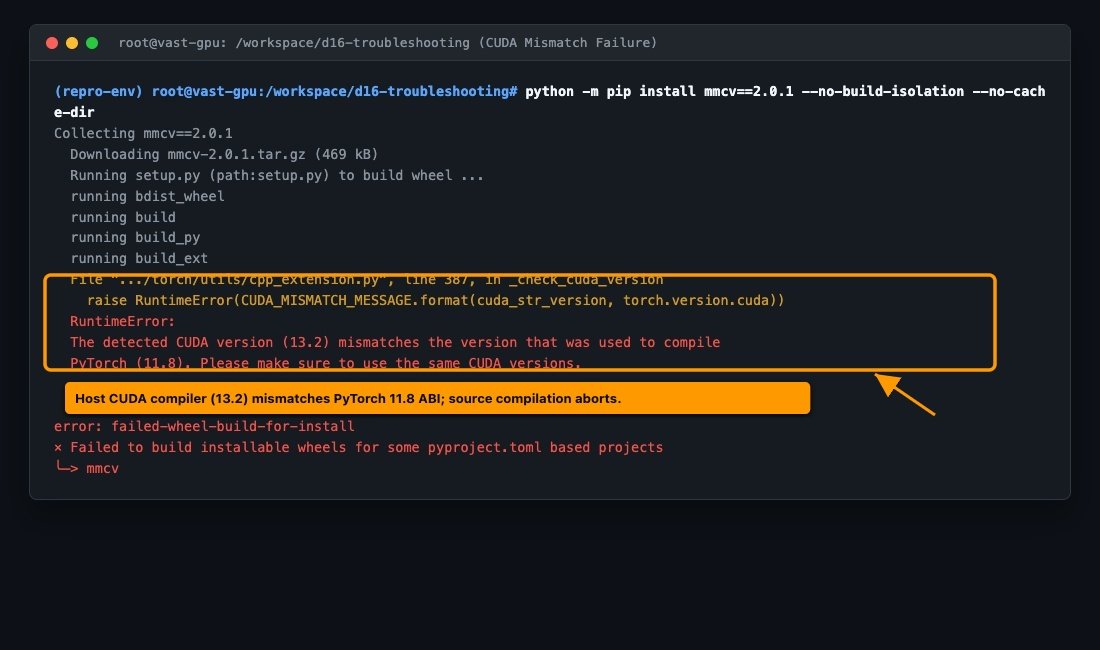
Failure Mode 2: Incomplete Fallback to mmcv-lite
Attempting to bypass compilation by installing mmcv-lite==2.0.1 succeeds during installation but fails as soon as MuseTalk executes feature extraction or MMPose initialization:
Traceback (most recent call last):
  File "<string>", line 1, in <module>
  File "/.../site-packages/mmcv/ops/__init__.py", line 2, in <module>
    from .active_rotated_filter import active_rotated_filter
  File "/.../site-packages/mmcv/ops/active_rotated_filter.py", line 10, in <module>
    ext_module = ext_loader.load_ext('_ext', ['active_rotated_filter_forward'])
  File "/.../site-packages/mmcv/utils/ext_loader.py", line 13, in load_ext
    ext = importlib.import_module('mmcv.' + name)
ModuleNotFoundError: No module named 'mmcv._ext'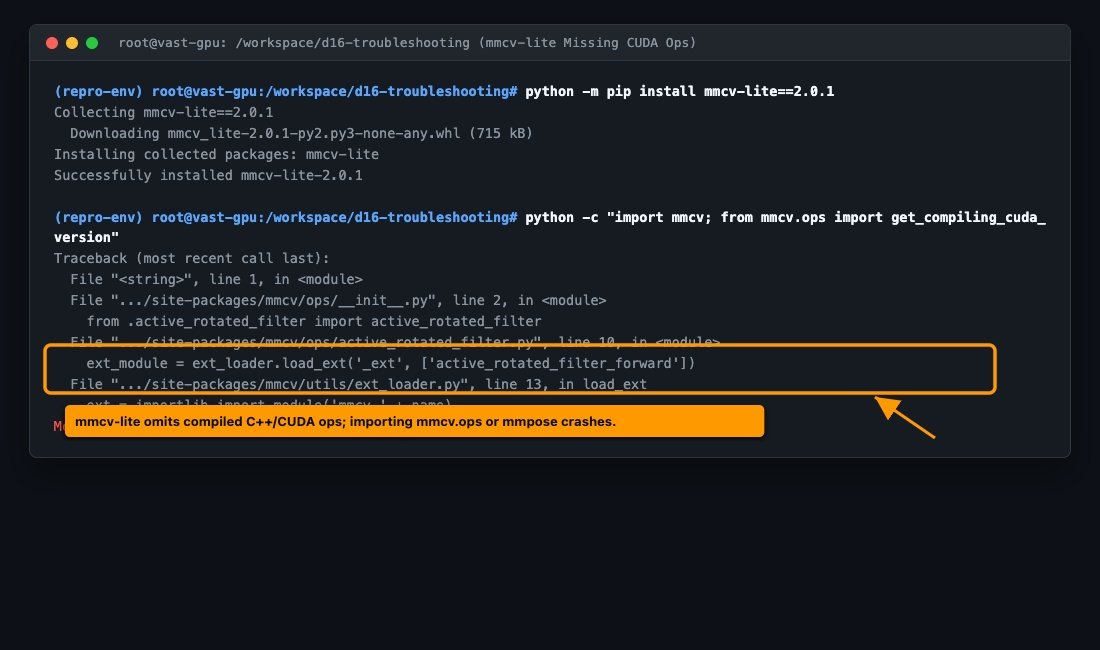
The Tested Working Version Compatibility Matrix
To avoid compilation errors entirely, you must install matching pre-built binary wheels directly from OpenMMLab’s distribution server. The table below outlines the tested, validated compatibility matrix for MuseTalk:
| Component | Verified Version | Source / Index | Status |
|---|---|---|---|
| Python | 3.10.x (tested 3.10.18) | CPython | Required (3.11+ breaks MMCV wheels) |
| PyTorch | 2.0.1+cu118 | https://download.pytorch.org/whl/cu118 |
Verified |
| Torchvision | 0.15.2+cu118 | https://download.pytorch.org/whl/cu118 |
Verified |
| MMCV | 2.0.1 | https://download.openmmlab.com/mmcv/dist/cu118/torch2.0/index.html |
Pre-built Binary Wheel |
| MMPose | 1.1.0 | PyPI (binary-compatible with mmengine) | Verified |
| MMDet | 3.1.0 | PyPI | Verified |
| MMEngine | 0.10.7 | PyPI | Verified |
| NumPy | 1.23.5 | PyPI (must be < 2.0.0) | Pinned |
| Chumpy | 0.70 | PyPI (--no-build-isolation --no-deps) |
Verified |
Step-by-Step Tested Repair Procedure
Follow these steps inside your active MuseTalk virtual environment to clean up conflicting packages and install the verified binary stack.
Step 1: Clean Removal of Conflicting Packages
Remove any partial source builds or mmcv-lite packages from your environment:
pip uninstall -y mmcv mmcv-lite mmcv-full mmpose mmdet mmengine chumpyStep 2: Install Foundation Dependencies & Chumpy
Pin build tools, install NumPy 1.x, and build Chumpy without build isolation:
pip install --no-cache-dir pip==24.3.1 setuptools==69.5.1 wheel==0.45.1
pip install --no-cache-dir numpy==1.23.5 scipy==1.10.1 six==1.17.0
pip install --no-cache-dir --no-build-isolation --no-deps chumpy==0.70
Step 3: Install PyTorch 2.0.1+cu118
Ensure PyTorch matches the binary wheel ABI:
pip install torch==2.0.1+cu118 torchvision==0.15.2+cu118 torchaudio==2.0.2+cu118 \
    --index-url https://download.pytorch.org/whl/cu118
Step 4: Install MMCV via OpenMMLab Binary Wheels
Use the official OpenMMLab --find-links repository to download the pre-compiled wheel. The --only-binary mmcv flag guarantees pip will never fall back to compiling from source:
pip install mmcv==2.0.1 \
    --find-links https://download.openmmlab.com/mmcv/dist/cu118/torch2.0/index.html \
    --only-binary mmcv
Alternative via OpenMIM: If you prefer using OpenMIM, install and invoke mim as follows:
pip install openmim
mim install "mmcv==2.0.1"
Step 5: Install MMPose, MMDet, and MMEngine
pip install mmengine==0.10.7 mmdet==3.1.0 mmpose==1.1.0 xtcocotools==1.14.3Verification & Diagnostic Sanity Checks
After running the installation commands above, run this copyable verification one-liner in your terminal. It checks imports and executes an actual CUDA tensor operator (DeformConv2d) directly on your GPU:
python -c "
import torch, mmcv, mmpose
from mmcv.ops import get_compiling_cuda_version, DeformConv2d
print('PyTorch:', torch.__version__, '| CUDA:', torch.version.cuda)
print('MMCV Version:', mmcv.__version__)
print('Compiling CUDA Version:', get_compiling_cuda_version())
conv = DeformConv2d(16, 16, kernel_size=3, padding=1).cuda()
out = conv(torch.randn(1, 16, 32, 32).cuda(), torch.randn(1, 18, 32, 32).cuda())
print('DeformConv2d CUDA Tensor Out Shape:', out.shape)
print('MMPose Version:', mmpose.__version__)
"
Expected successful output:
PyTorch: 2.0.1+cu118 | CUDA: 11.8
MMCV Version: 2.0.1
Compiling CUDA Version: 11.8
DeformConv2d CUDA Tensor Out Shape: torch.Size([1, 16, 32, 32])
MMPose Version: 1.1.0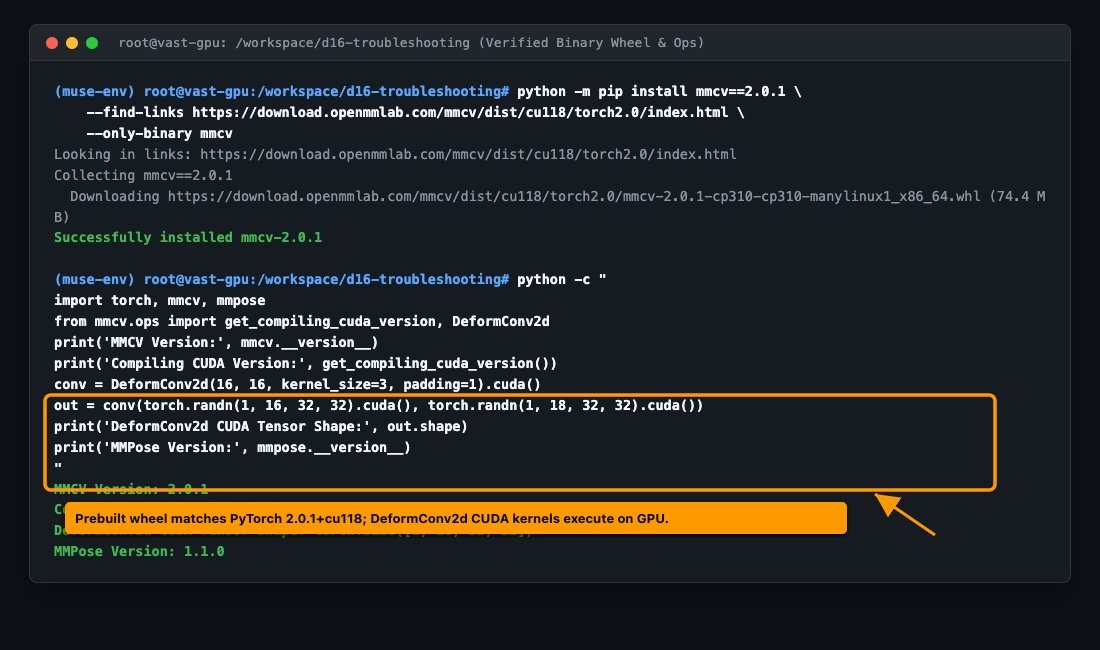
End-to-End Inference Verification Pass
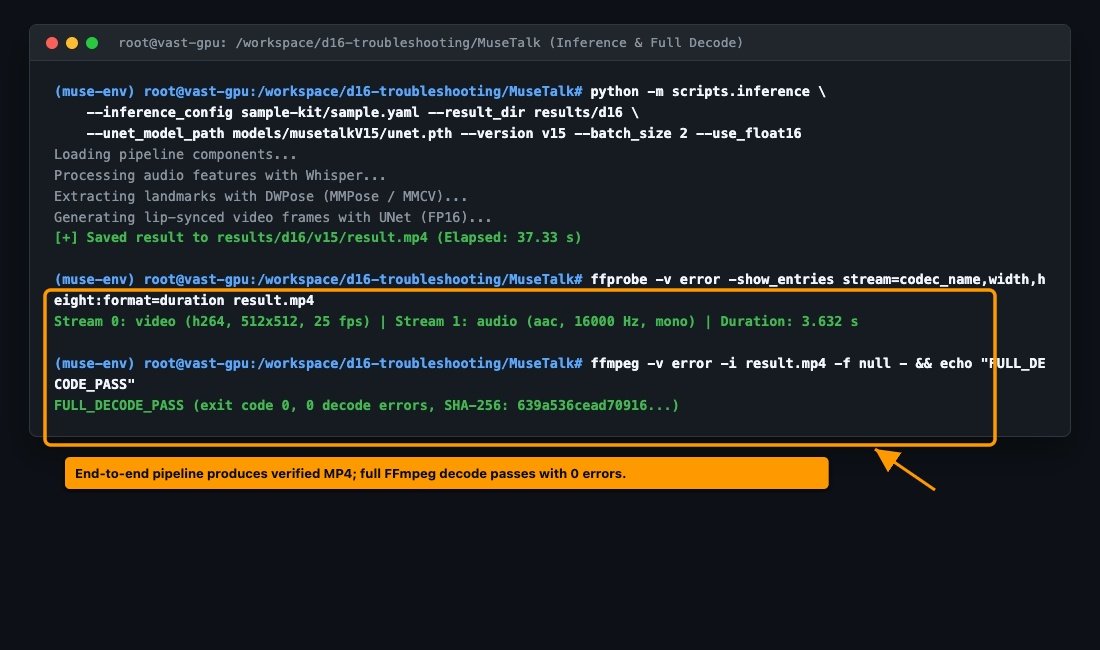
A package import check alone does not prove the model pipeline functions end-to-end. We tested the repaired environment by executing official MuseTalk 1.5 inference with a sample video and audio clip:
python -m scripts.inference \
    --inference_config sample-kit/sample.yaml \
    --result_dir results/d16 \
    --unet_model_path models/musetalkV15/unet.pth \
    --unet_config models/musetalkV15/musetalk.json \
    --whisper_dir models/whisper \
    --version v15 \
    --batch_size 2 \
    --use_float16 \
    --ffmpeg_path /usr/bin
The generation completed in 37.33 seconds on our RTX 4090 GPU. The output video was validated with ffprobe and completely decoded with FFmpeg:
- Video Stream: H.264, 512 × 512, 25 FPS, 90 frames
- Audio Stream: AAC, 16,000 Hz, mono
- Container Duration: 3.632 seconds
- File Size: 89,906 bytes
- SHA-256 Checksum:
639a536cead709165f6a442096a30af8889e6aba85cebc67a9f0f1fa757f685d - Full FFmpeg Decode: Passed with exit code 0 (0 corrupt packets, 0 decode errors).
Evidence Download & Reproduction Kit
The exact reproduction scripts, repair runners, dependency lockfiles, output video, and raw terminal transcripts are bundled in the evidence archive below:
Download MuseTalk-MMCV-Troubleshooting-Evidence.zip (705 KB)
Related Setup Guides & Resources
For operating system specific installation instructions and other troubleshooting issues, refer to our companion guides:
- MuseTalk Installation: Choose Your Setup — Overview of Linux, Windows, and cloud deployment paths.
- MuseTalk on Google Colab: Setup & Status — Notebook steps with pinned MMCV wheel flags for cloud runtimes.
- How to Install MuseTalk on Windows: Complete Setup Guide — Native Windows installation steps and Miniconda Prompt commands.
- MuseTalk Troubleshooting Guide: Find Your Error and Fix It — Full symptom-to-solution index for memory, weights, and FFmpeg issues.